Bring the photograph back. Keep the person.

Upload one scan of an old photograph and repair the damage, recover the faces, add colour or enlarge it for printing — in about a minute a step.

Still the same faces No watermark No subscription
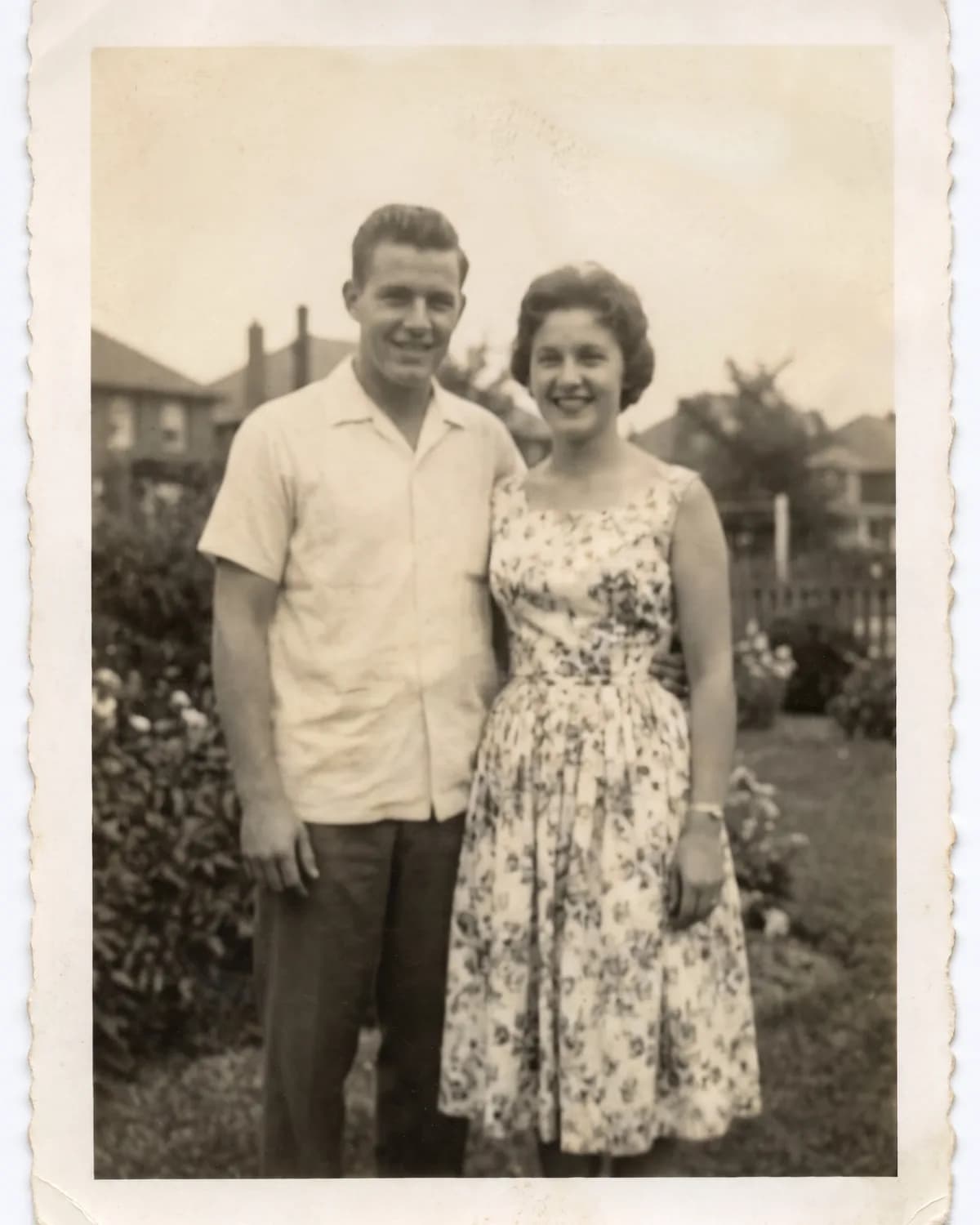
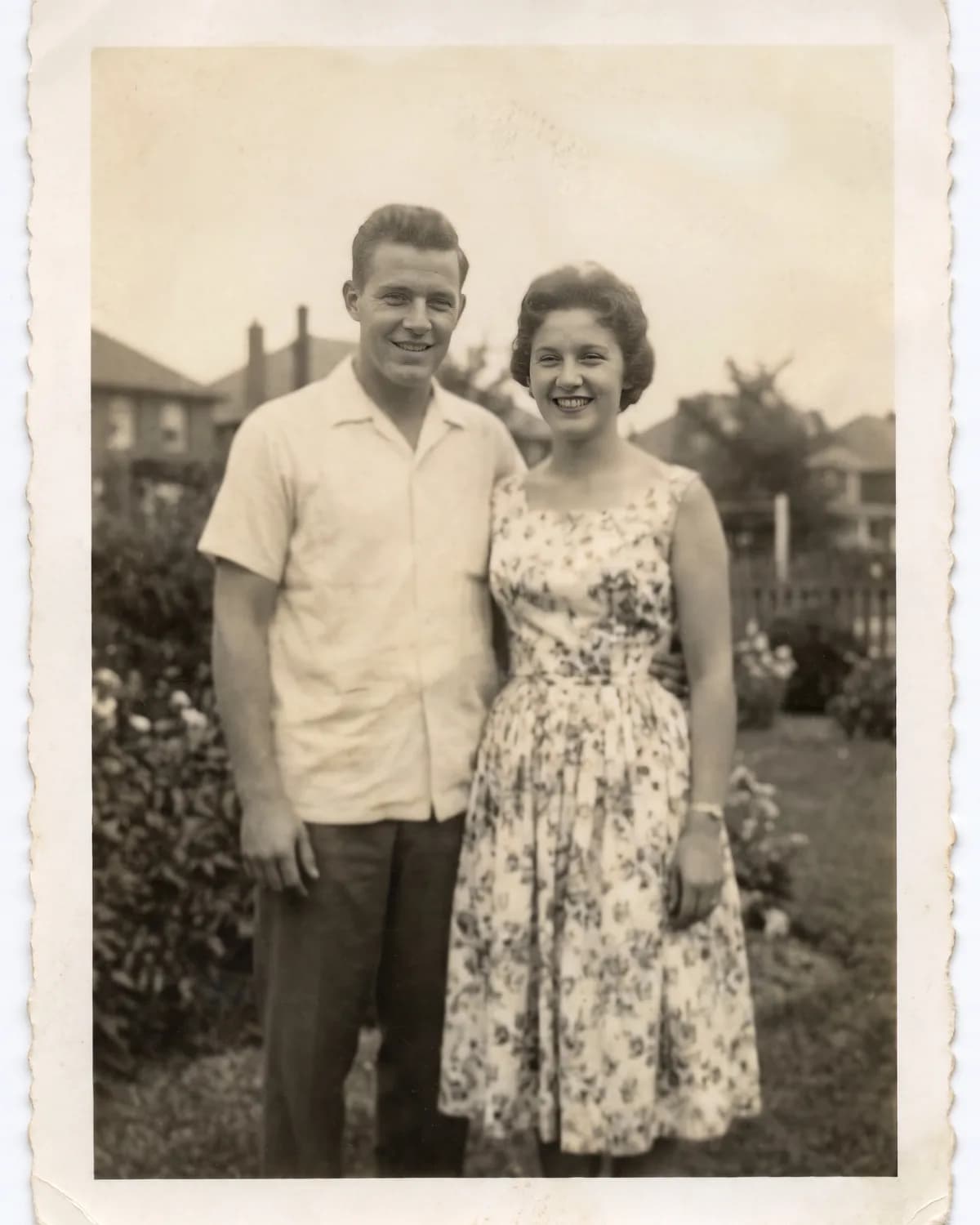
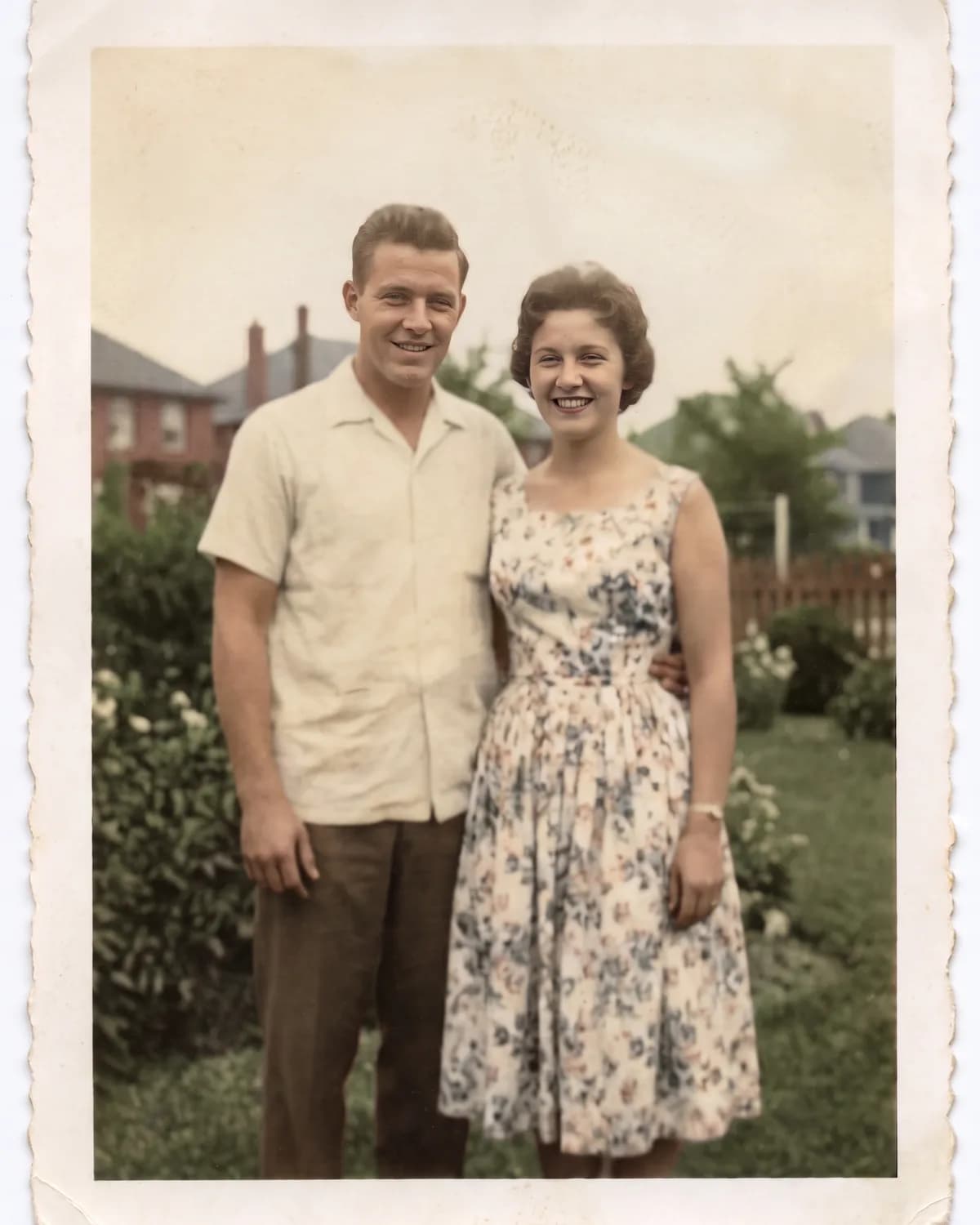
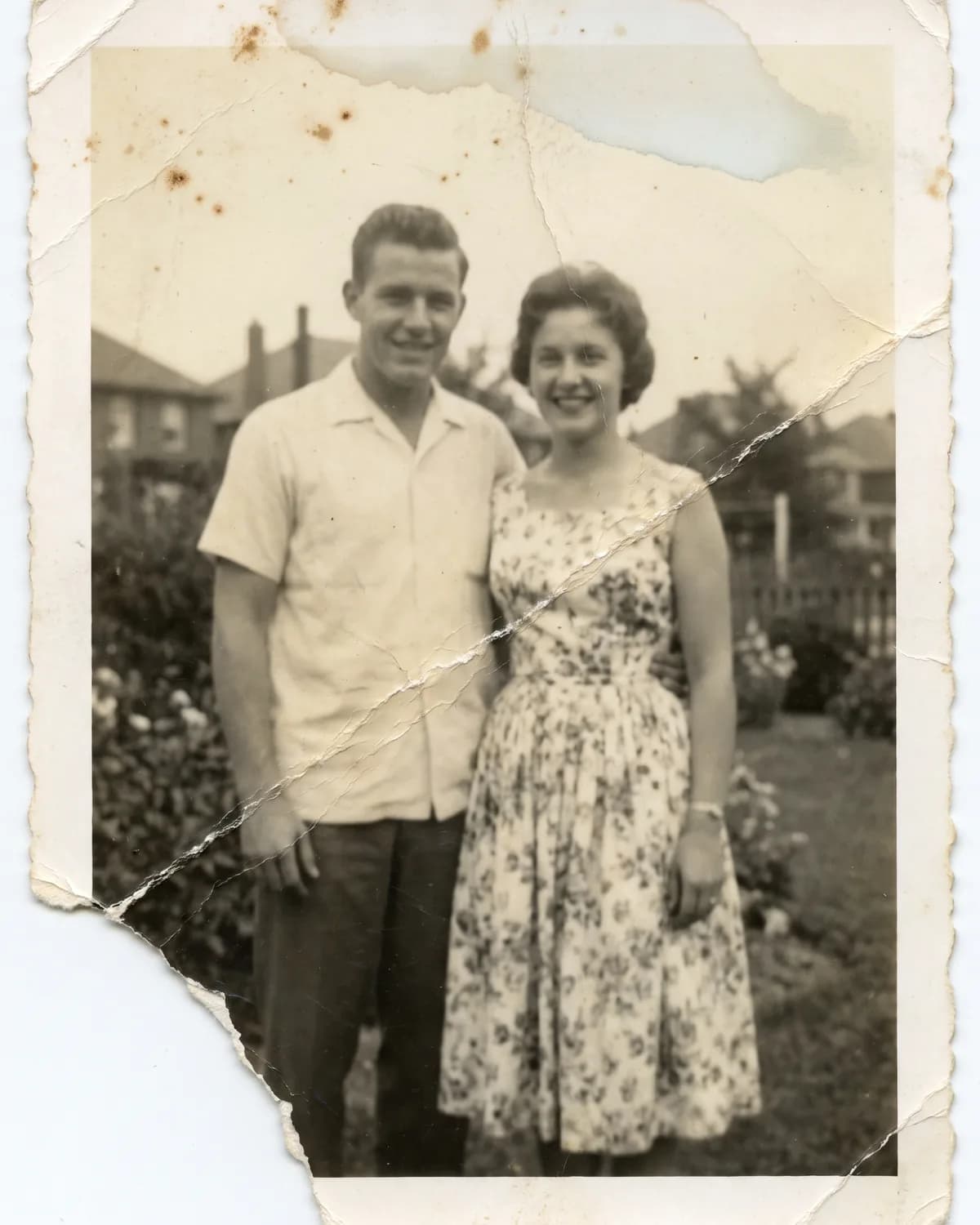
The same photograph repaired, sharpened and colourised, with its border and grain intactA damaged 1960s black and white snapshot with a torn corner and a deep creaseAs scannedRevived

Drag to compare

1scan needed
4treatments
enlargement
0subscriptions
01The chain

One photograph, step by step

Every frame here came from the scan above, each step working on the output of the last. Step through them and watch what each treatment actually changed — and what it left alone.

A damaged 1960s black and white snapshot of a young couple, with a torn corner, a deep crease and foxingAs it was scanned

The scan as it arrived — a crease through the middle, a torn corner, and faces gone soft.

Nothing spent yetRevive a photo
02The studio

Tick what it needs

Drop in a scan, tick the treatments, and the cost is on screen before you commit. The order is not yours to pick, because there is a right one — colouring in a tear before repairing it helps nobody.

  • Cost shown before you run
  • Each step billed as it finishes
  • A step that fails keeps the ones before it
03How it works

Scan in, photograph out

  1. 01

    Scan or photograph it

    Flat, straight on, the whole print in frame.

  2. 02

    Say what it needs

    Tick any of the four. They sort themselves.

  3. 03

    Watch it run

    Each step works on the last one's output.

  4. 04

    Download

    Full resolution JPG. Print it, share it, keep it.

04What we hold to

The part we will not trade away

A restored face, still recognisably the person in the original scan

It is still them

Face restoration is held at 0.85 fidelity to the original pixels instead of being turned loose. Turned loose it produces a sharper, better-looking face — belonging to somebody else. A softer result that is the right person is the trade we make every time.

The print stays a print

Grain, border and tonal range survive. The output should look like the photograph you own, not like it was taken last Tuesday.

We say when it guessed

Where the emulsion is gone entirely there is nothing to recover from, and what comes back is invention. We would rather tell you that than let you frame it unknowingly.

Plain files, no lock-in

Standard JPGs at full resolution. No watermark, no export tier, and the original scan is never posted anywhere — it stays in your account and goes nowhere but the model.

05Trade-offs

Against a restoration studio

Restoration studioPhotoRevive
Cost per photo$50–300From 2 credits
TurnaroundDays to weeksMinutes
Posting the originalOften requiredNever leaves your house
Trying something elseAnother quoteRun it again
Minimum orderCommonOne photograph

A human retoucher still wins on the hard ones — a face half torn away, a photograph that matters enormously, anything where somebody needs to make a judgement about what was really there. Pay for that when it is the only copy of someone. This is for the other four hundred photographs in the box.

06Who it's for

When the only copy is fading

01

The box in the loft

Nobody is going to pay a studio to restore four hundred snapshots. The ones that matter get done properly; the rest can at least stop fading in a drawer.

02

A funeral or an anniversary

You need one good photograph of someone, at print size, by the weekend — and the only copy is small, creased and behind glass in someone's hallway.

03

Family history

Scans handed down through relatives arrive as low-resolution phone photos of prints. Sharpening the faces is often the difference between a name and a person.

07Pricing

Credits, not subscriptions

One credit charge per finished step. Tick what your photograph needs to price it.

What needs doing

Steps always run in this order. Picking them in a different one would mean colouring in a tear before repairing it.

7credits2 steps, run as a chainCharged only on steps that finish.
4RepairTears, creases, stains, missing corners
3Sharpen facesRecover faces from a soft scan
3ColouriseNatural colour on a black and white photo
2EnlargeFour times the size, for printing

All 4 treatments on one photograph costs 12 credits — less than a studio charges to look at it. Steps that fail or are cancelled are not charged.

08Under the hood

The specifics

Repair and colour
google/nano-banana-pro
Face restoration
sczhou/codeformer
Enlargement
nightmareai/real-esrgan
Face fidelity
0.85 of 1 — held high on purpose
Output
JPG, up to 4K
Training on your photo
Never
09Questions

Before you sign up

What kind of scan works best?

A flat, evenly lit scan or phone photo of the whole print, shot straight on. Include the full photograph rather than cropping in. Glare from a phone flash and a print photographed at an angle are the two things that hurt results most.

Will it still look like them?

That is the thing we optimise for, and it is the reason results are sometimes softer than they could be. Face restoration is held at high fidelity to the original pixels rather than turned loose, because a sharp photograph of somebody who is not your grandmother is a failed restoration, not a good one.

Can it fix a badly damaged photograph?

Repair rebuilds torn areas, creases, stains and emulsion loss from what surrounds them. Where a face or an object is entirely missing there is nothing to rebuild from, and what comes back is an invention — plausible, but not recovered. Treat those results as a reconstruction rather than a record.

Can I apply more than one treatment?

Yes. Tick as many as you want and they run as a chain, each one working on the output of the last. They always run in the same order — repair, sharpen, colourise, enlarge — because that is the order that works. Each step is billed separately.

How long does it take?

A single treatment finishes in well under a minute. A full chain of all four takes a few minutes, and the photograph is saved as soon as the last step lands.

Is there a subscription?

No. PhotoRevive uses credits you buy as needed, and you are only charged for steps that complete. Failed and cancelled steps cost nothing.

Do I keep the rights to my photographs?

Yes. Your photographs are yours and so are the restored versions. You are responsible for having the right to upload the scan — most family snapshots are fine, but a studio portrait may still be the photographer's copyright even if the print is yours.

What happens to my uploaded photograph?

It is stored so your restorations can be reviewed or run again, and it is sent to the model that performs each treatment. It is not used to train anything. Deleting a restoration removes the upload behind it.
Your first photograph is free

New accounts start with credits on the house.

Create an account